
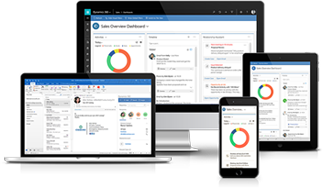
With Microsoft Dynamics AX operations expected to be ending by 2023, companies should start planning for the upgrades soon. But what until then? How will you and your team be dealing with the current system slowing down? Once your employees are fed up with using the same outdated and clunky version, their productivity will decrease too.
So, what’s next? How do you boost the proficiency of the current Microsoft Dynamics AX Solution and extend its life?
Optimize Microsoft Dynamics AX for Peak Performance
It’s great that you are planning to migrate to Dynamics 365 for Finance and Operations. Your old Dynamics AX system needs a little optimization under the expert’s assistance, so it continues to deliver great results.
We specialize in Dynamics AX solutions and their optimization; hence we can help to extend the life of your system.
We helped many of our clients to get their business’ software running fast and maximize sales opportunities. We analyzed that their systems had huge potential for performance improvement.
7 Quick & Easy Ways to Optimize Your Microsoft Dynamics AX Solutions
Let’s see how you can boost the efficiency of your current Microsoft Dynamics AX System.
-
1. Configure Server Environment
It’s better to start with the little things that matter! Optimizing the power options, memory, storage, community updates, and server packs would create greater impacts.
These settings are highly important to do as the power options are set as default power saving options employed. So, if you want to experience faster processing, you can set it to ‘high’.
-
2. Configure SQL Server
To configure your Dynamics AX system server, turn off the debugging in production and turn off L trim left. As this setting enables will drain the performance of your system, so it’s better to consider AOS clustering and more.
-
3. Clean up Inventory Settlement Tables
To ensure fewer errors and smooth-running of your system, we recommend you keep the records in your tables up to 200,000. As, the tables that are too big result in random read, write, or overflow errors to your queries.
At the end of the month, during the closing of inventory, additional records will be added to the settlement table. If the number of records exceeds the count of 2,00,000, you might need to run a cleanup.
Also, don’t forget to perform monthly and quarterly checks on your system to keep up your system error-free.
-
4. Maintain Your Database Logs
Your system’s database logs can track the type of changes in Dynamics AX fields and tablets. If your records are in lakhs, your search for older records will not be visible after a certain date.
So, it’s recommended to log in only non-transactional data. Else, it will bloat your tables and explode into an unwieldy no. of records.
-
5. Monitor Performance Metrics
With Microsoft Dynamics AX, you get some free tools to monitor and track your system’s performance matrices. The tools as mentioned below can give you better insights into how your system is performing. You may also how long you’d be able to get the same productivity. Check out here –
- Performance Analysis of Logs (PALs) on CodePlex
- SQL Management Studio
- SQL Data Collection
- DynamicsPerf (to set metadata about table properties)
-
6. Manage your Batch Jobs
Batch Job is a set of scheduled computer programs that are assigned to run back to back during working hours. These programs are later executed in the evening or during the weekends when computers are not in work.
In Dynamics AX, when a new batch starts up before the processing of the previous batch, the errors occur. This happens with those businesses that have a large no. batches running every single minute.
The solution to this problem is to trace which jobs run at what time and estimate how they might take to execute.
-
7. Update Your Kernel
The kernel is a computer program specific to any computer's operating system. It’s an internal part of the computer’s operating system that enables complete control over everything in the system.
If your Kernel’s version is not the updated one, your system’s and applications’ performance might slow down. So, check and update the Kernel from Microsoft to ensure that you’re using the most updated version. It’s also important to verify that your Kernel version matches your client, AOS, SQL server, and all locations.
Many businesses that are still running Dynamics AX don’t have a choice other than improvising their system to get the same results. Unless you’re ready to migrate to Dynamics 365 for Finance and Operations, it’s important to maintain your current system properly.
If you need more help and information on the same, we’re here to help. Talk with Narola Solutions experts and plan what’s good for your business operations.